
Davra agent panel
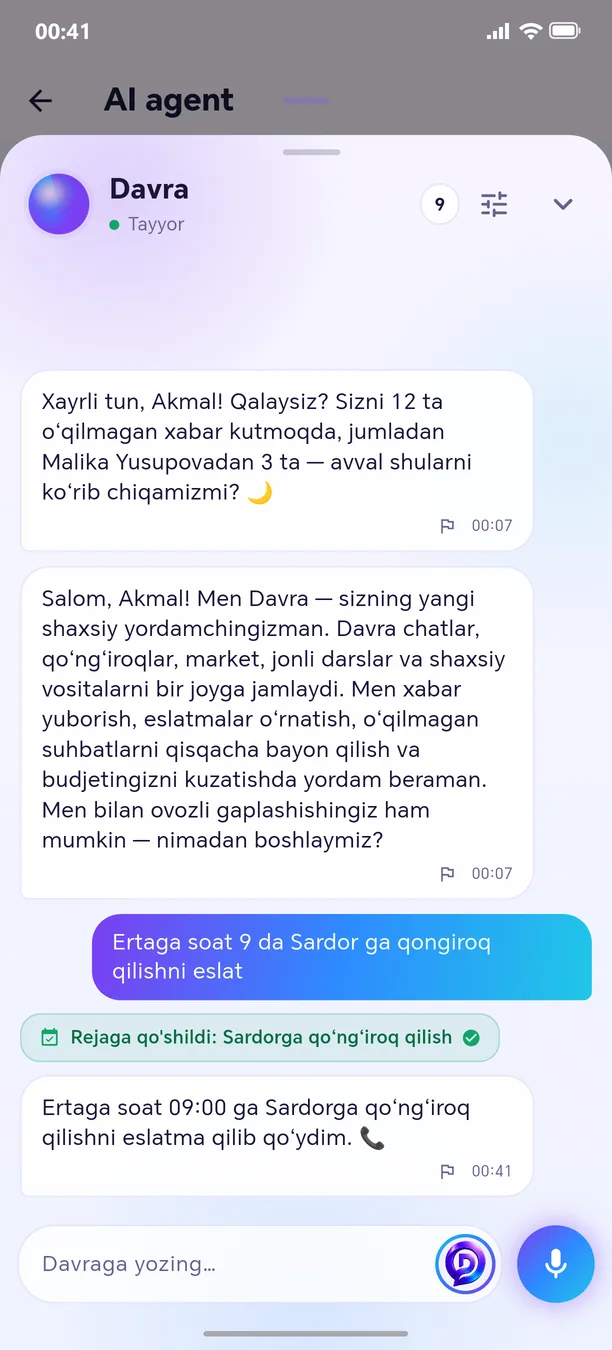
Give it a command by text or voice — it carries it out.
Tap the live “orb” on the home page — the agent panel opens. “My unread messages,” “What plans do I have today?”, “Remind me tomorrow at 9,” “I spent 45,000 on lunch,” “Find sneakers in Market,” “Morning briefing” — ready-made prompts available with one tap. Speak using the microphone button: it detects silence on its own and reads the response aloud. A confirmation card is always shown before sending a message, making a call, or scheduling something.
🧭 How to use
- 1
Tap Davra’s orb on the home page
- 2
Type or tap the microphone to speak
- 3
Confirm the suggested action
5 text and 5 voice requests a day are free — the limit resets daily.
Other features in this section
Name, personality, and voiceNew
Name your agent and choose its personality and voice.
More detailsPermissions — you decideNew
Control what the agent can do with toggles.
More detailsMemory and autopilotNew
It remembers important things and reminds you of birthdays.
More details«Hey Davra» and @DavraAndroid
Call it by voice or address it with @ in a group.
More details«ai …» and smart suggestions inside the chat
Ask AI in any conversation — it knows the content of the conversation.
More detailsAn agent connected to the knowledge sectionsNew
Verses, hadiths, tafsir, duas, prayer times, law articles — from the source.
More detailsCommunication habits
Who's waiting on your reply — visible only to you.
More details
Welcome to the next-generation messenger
Free. No ads. Get started in one minute.