
❄️
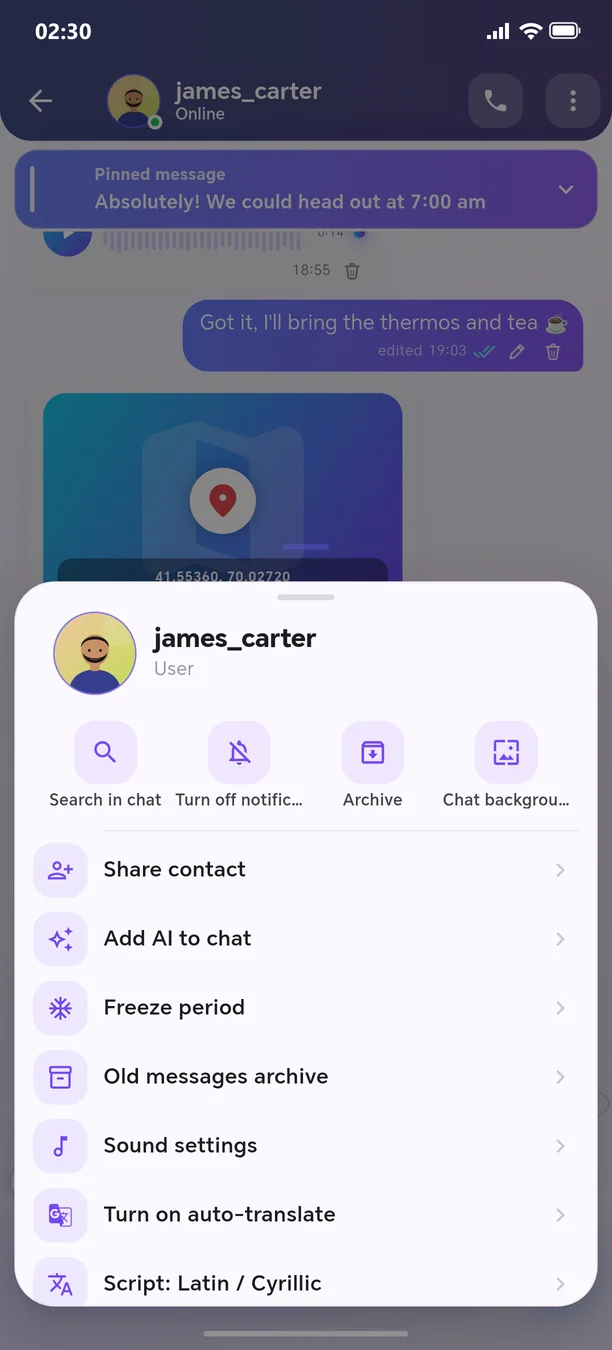
Freeze the chat
Take a break for a while — the chat will be temporarily paused.
Did the argument get heated? Freeze the chat for several hours or days — no one will be able to send messages during this time. When the period ends, the chat will resume automatically.
🧭 How to use
- 1
Chat menu (⋮) → «Freeze period»
- 2
Choose the duration
- 3
The freeze end time is shown in the header
Other features in this section
🗓️
Schedule for later
Write the message — it will be sent automatically at the required time.
More details⏰
Message reminder
It reminds you about an important message later.
More details🔥
One-time message
Text, image, or video that can be opened only once.
More details⏳
Time capsule
The message remains locked until the specified date.
More details🧹
Auto-delete, export and archive
Messages delete themselves after 1 day, 1 week or 1 month.
More details📝
Drafts
Your unfinished message won't be lost.
More details
Welcome to the next-generation messenger
Free. No ads. Get started in one minute.