
Tasks
Decide who will do what within the group itself.
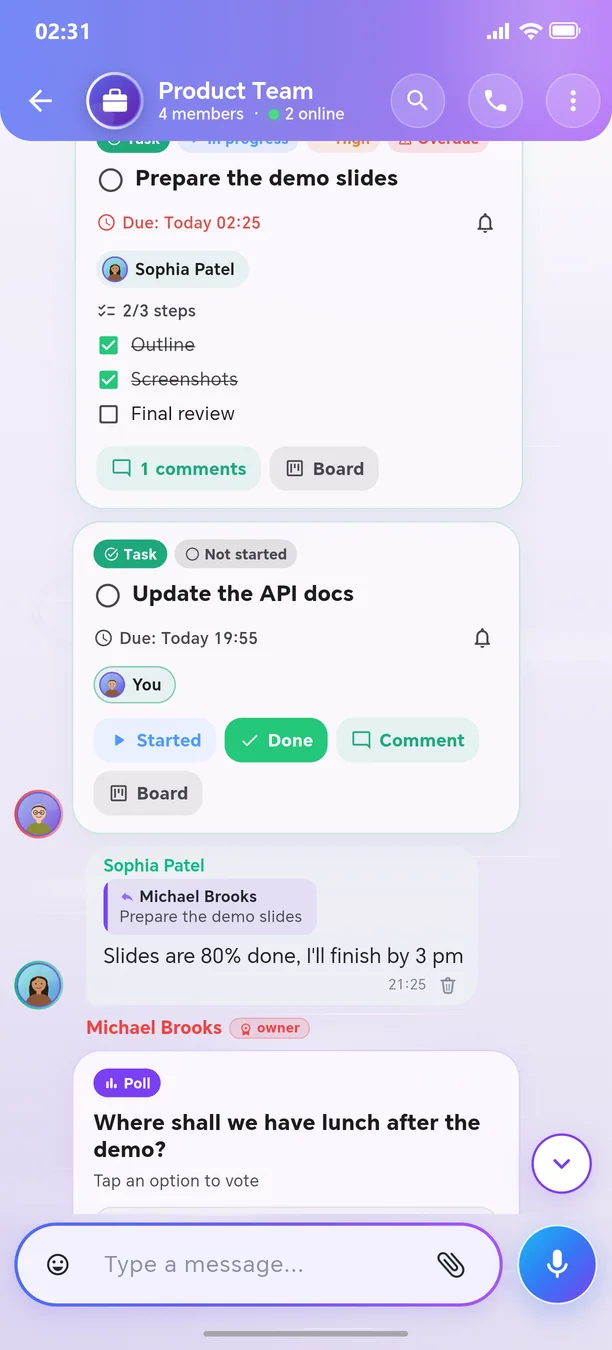
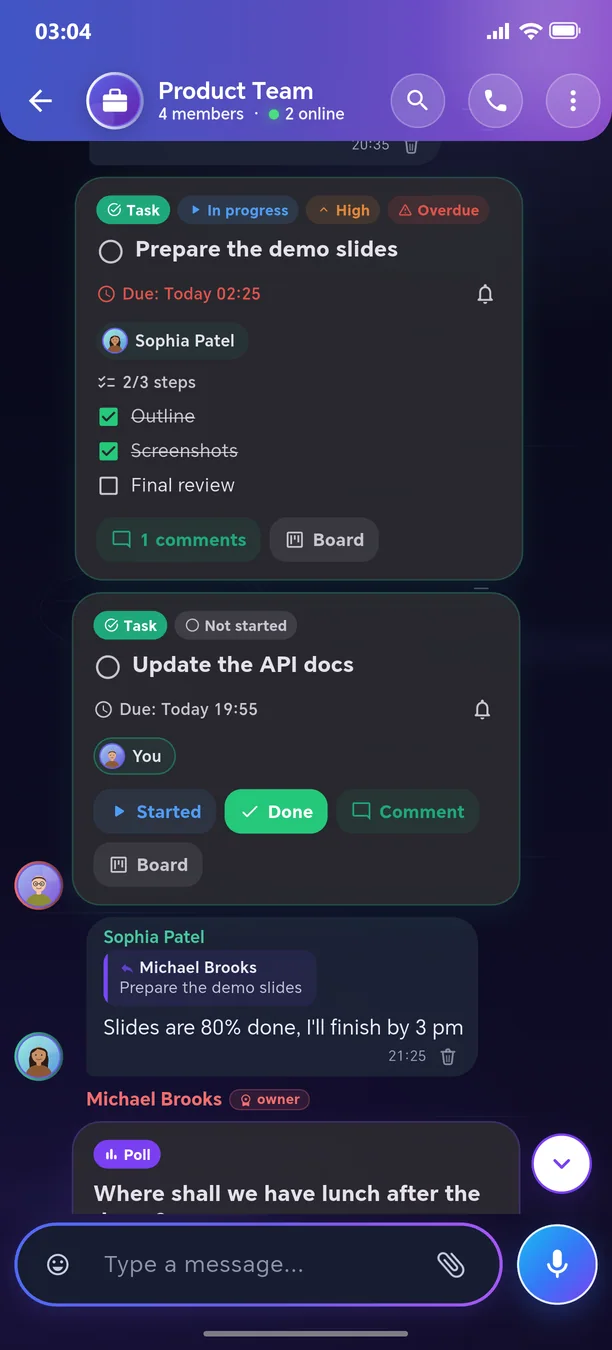
Create a task in a group, set assignees, a deadline and priority (including “urgent”), and break it into smaller steps. A reminder arrives before the deadline, and each assignee marks their part as “Done”. Everything is visible on the task board in the group menu, while “My tasks” gathers your tasks from all groups.
🧭 How to use
- 1
Group → Paperclip → “Task”
- 2
Enter a title, assignees, and deadline
- 3
Tap the task when it is completed
Other features in this section
Group chats
Admins, invite links, and join requests.
More detailsPrivate reply
A reply visible only to one person within the group.
More detailsSplit expenses
Who paid how much and who owes whom.
More detailsPolls
Anonymous votes, quizzes and auto-close.
More detailsTaking turns speaking
Organize who speaks next.
More detailsSummary of missed messages
100 unread messages? AI will provide a brief summary.
More detailsGroup pulse and search
How active a group is — at a glance.
More details
Welcome to the next-generation messenger
Free. No ads. Get started in one minute.