
Tafsir from the Qur'an with one tap
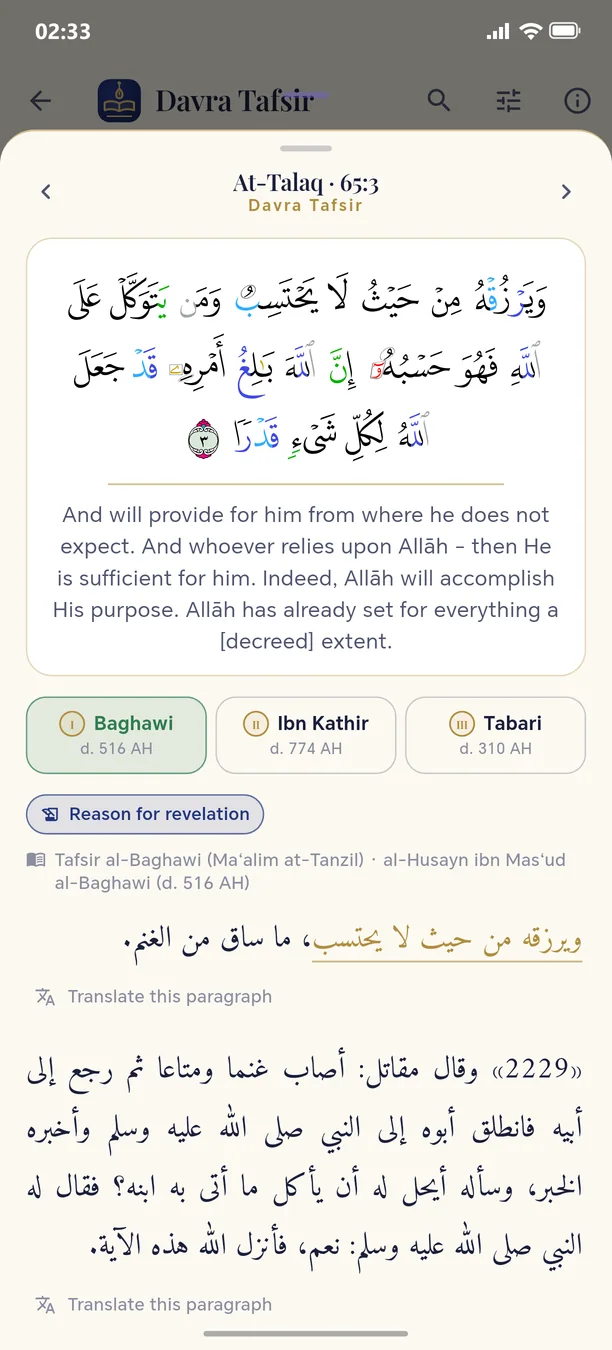
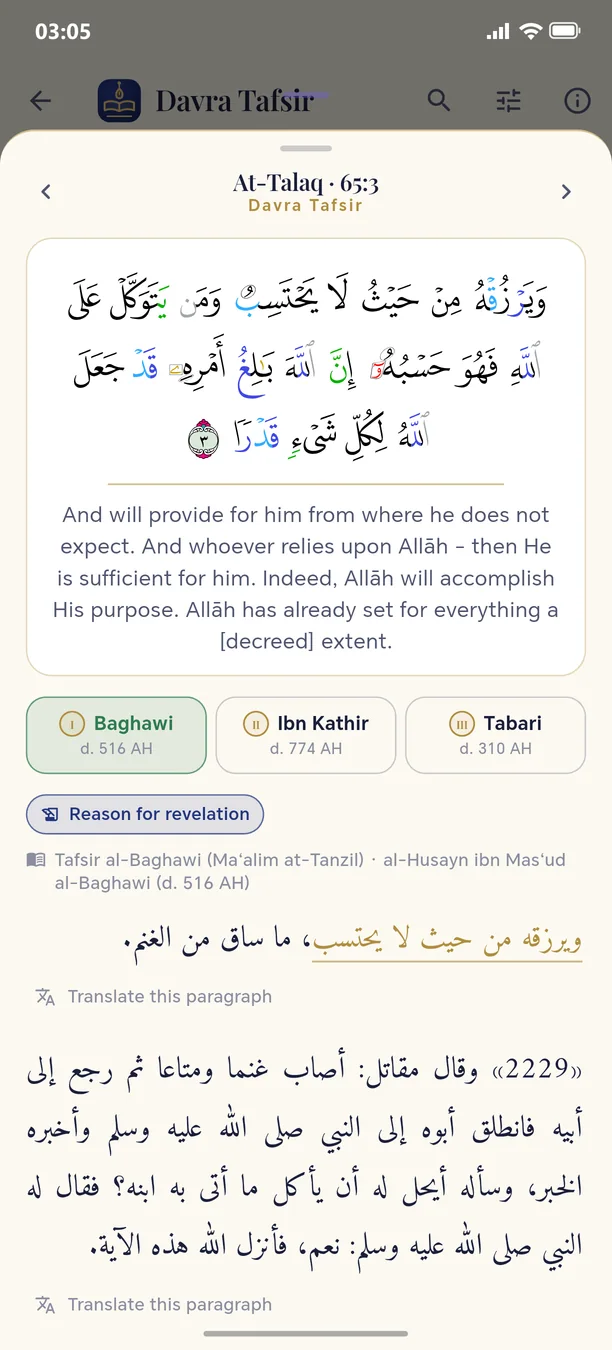
Verse page: verse, translation, and tabs for the three books.
In the Quran round, tap «Tafsir» from the verse menu — the verse page opens: the verse itself (with tajweed), its selected translation in the Quran section, three book tabs below, and a concise excerpt from the selected book. «Full reading» — in the reader: one book, one surah, excerpts in sequence, with the verses at the top of each excerpt; the last position is saved, with jump to a verse and keep screen awake. Previous/next verse, bookmark, sharing, and comparison — all on the same page.
🧭 How to use
- 1
Quran → tap the verse → «Tafsir»
- 2
Select a book from the tabs
- 3
«Full reading» — continue in the reader
Other features in this section
Three classical tafsirs — in the original textNew
From beginner to scholar level.
More detailsCompare three books side by sideNew
One verse — the views of three mufassirs on one screen.
More detailsMarked text: verse, hadith, narratorNew
Every source within the tafsir — to its place with one tap.
More details
Welcome to the next-generation messenger
Free. No ads. Get started in one minute.